Platerio is an AI digital menu for restaurants. Upload the menu you already have — a PDF, a photo, a spreadsheet or your website — and Platerio turns it into a QR code menu, translated automatically into up to 30 languages. You just review and publish.

Create a free menuSee how it works
No hand-typing dishes. No app for your guests.
How it works

How to make a QR code menu in four steps.

1

Upload what you have

A PDF, photos of the menu, a spreadsheet, text or your website link. Nothing to type.

2

AI organises it

Sections, dishes, descriptions and prices land in an editable menu. If a price can’t be read, it stays blank — never made up.

3

Review and approve

Fix anything, confirm allergens and publish when you’re ready. Nothing goes live without your click.

4

Print the QR code

Download the QR for tables, the window or the bill. Guests open the menu on their phone — nothing to install.

For your guests

Tourists who understand what they’re ordering.

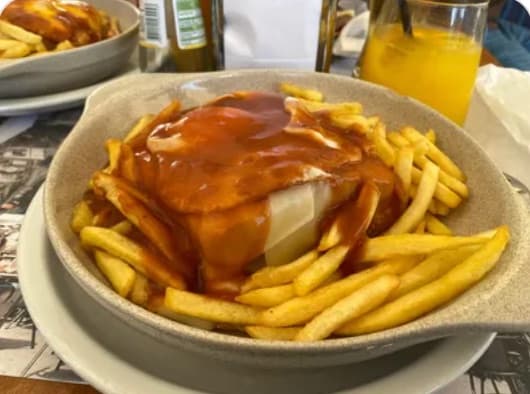
The menu opens in each guest’s language. The dish name stays — Francesinha is Francesinha — with a plain explanation added for anyone who’s never tried it.

Menu helperGuests ask “what’s gluten-free?” or “what’s typical here?”. The helper answers only from your menu — it never invents dishes, prices or ingredients.
Languages
30languages, translated for you

Multilingual digital menu: pick the languages, Platerio translates.

In your dashboard settings, switch on up to 30 languages. The whole menu — sections, dishes and descriptions — is translated automatically, and you can always review and fix any translation.

Settings › Menu languages
Automatic translationNew languages are ready in minutes
4 of 30 languages on
Tap a language to switch it on or off.
New · 3D dishesPro and Growth plans

Dishes guests spin with a finger.

Take a few photos or a short video around the plate. Platerio builds a 3D model, and guests see the dish from every side before they order.

1
Shoot photos or videoWalk your phone around the plate.
2
Platerio builds the modelThe 3D model lands in your dashboard as a proposal.
3
Approve and publishIt only reaches the menu once you approve it.
Drag to rotate · tap an ingredient
You’re in charge

AI digital menu: the AI suggests, you decide.

Nothing goes live without you

Everything the AI creates stays a proposal until you tap Approve. Your own text is never silently replaced.

Confirmed allergens

The 14 allergens of EU Regulation 1169/2011. Guests only see them after you confirm.

Honest prices

Prices stored to the cent, in euros. If the source is unreadable, Platerio asks you — it doesn’t guess.

Between services

Changing a price takes less than an espresso.

Use the laptop for the first import and your phone day to day: prices, photos, “temporarily unavailable”. One-handed, between lunch and dinner.

Your team, each with the right access
OwnerEverything, including the team
ManagerMenu, publishing and QR
EditorDishes, prices and photos
ViewerRead only
Made for Portugal

Portuguese first. Translated well.

European Portuguese by default — not English with a flagEuros, Lisbon time, petiscos and pratos do diaDashboard in Portuguese and English
Your guests’ privacyNo analytics cookies on the public menuGuests never create an accountNo personal data in usage stats
Plans

Start for free.

The Free plan is enough to publish your first menu. Pro and Growth add more AI credits for imports and translations. Final pricing will be announced soon.

FreeFree

AI credits to import and publish your first menu.

ProComing soon

More credits for menus that change often. Includes 3D dishes.

GrowthComing soon

For several restaurants and bigger teams. Includes 3D dishes.

FAQ

What owners ask us.

It depends on the size of the menu, but the idea is minutes, not days: upload the file, the AI extracts the dishes, you review and publish.

No. Use what you already have — a PDF, a photo of the paper menu, Excel, text or your website.

Everything stays a proposal until you approve it. Edit any dish, description or price before publishing. Unreadable prices stay blank for you to confirm.

No. They point their camera at the QR code and the menu opens in their phone’s browser, in their language.

You can tag the 14 EU allergens on each dish. Guests only see them once you’ve confirmed.

On Pro and Growth, take photos or a short video around the plate and Platerio generates a 3D model. It stays a proposal until you approve it; then guests can spin it on the menu.

You can start for free. Pro and Growth pricing isn’t final yet — we’ll tell you before anything changes.

Got a menu? Then you’ve got everything you need.

Create an account and import your menu. Restaurant name, type and city come prefilled with Portuguese defaults.

Free to start. No card needed.